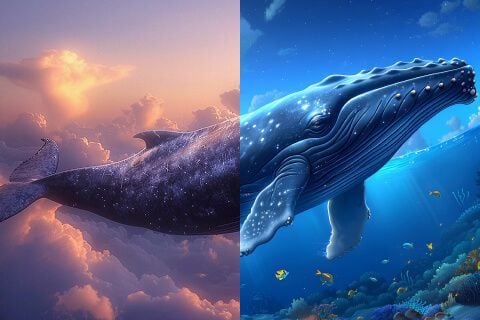
Change Background Instantly
Use AI Image Editor to swap backgrounds for professional studio settings. Perfect for product photography.
Edit photos just by typing. Instantly change backgrounds, remove objects, and refine details with simple text prompts. Fast, high-quality, and free to try!


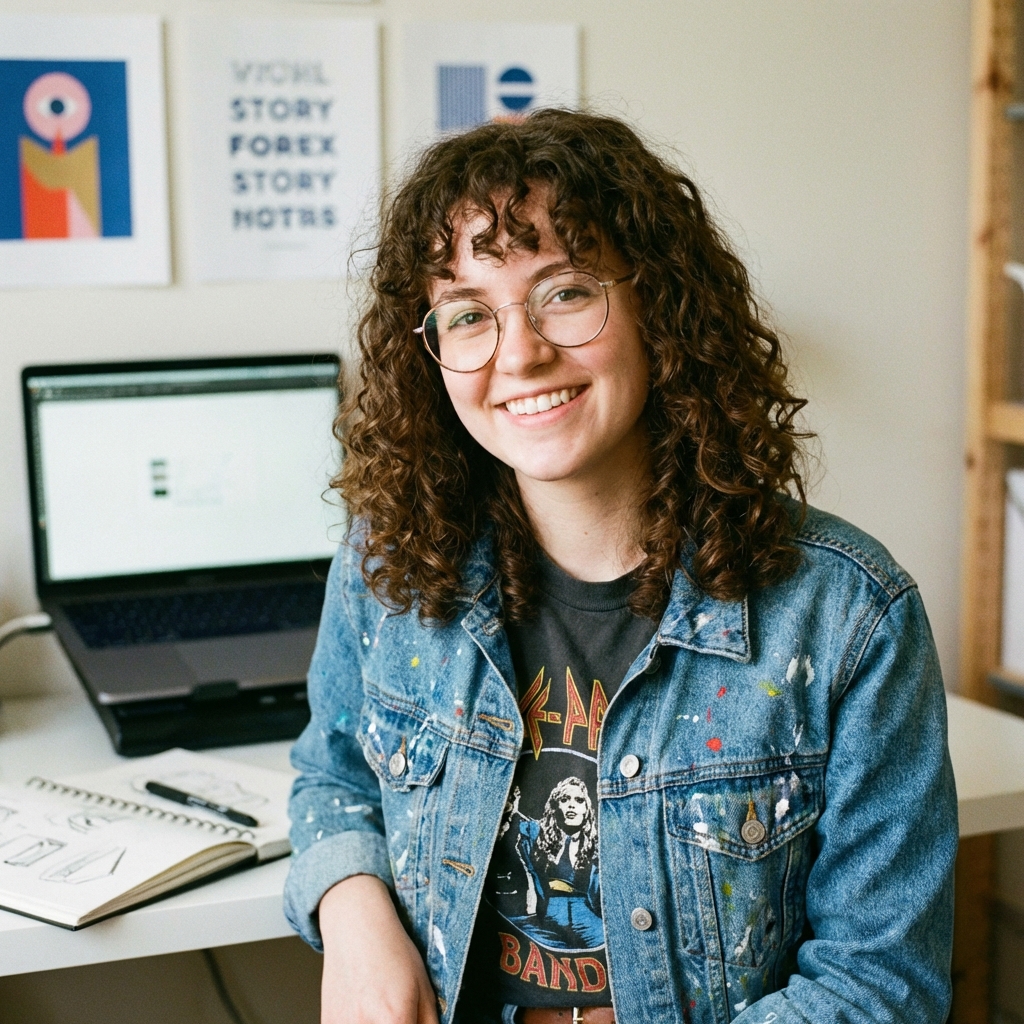

"Transform into a professional headshot: navy blue suit, white shirt, clean white background, studio lighting"
Remove objects, change backgrounds, and fix details with nano banana pro. Plus, explore advanced AI features like outfit swaps and style transfer.
Use AI Image Editor to swap backgrounds for professional studio settings. Perfect for product photography.
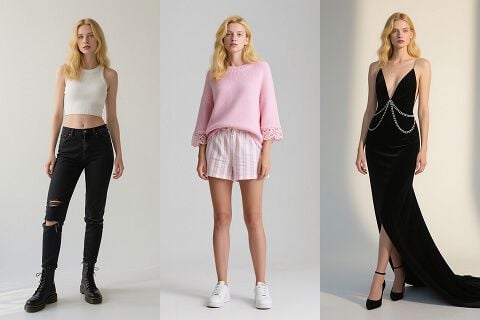
Visualize clothing styles with our AI photo editor. Type "wearing a red dress" to see changes.
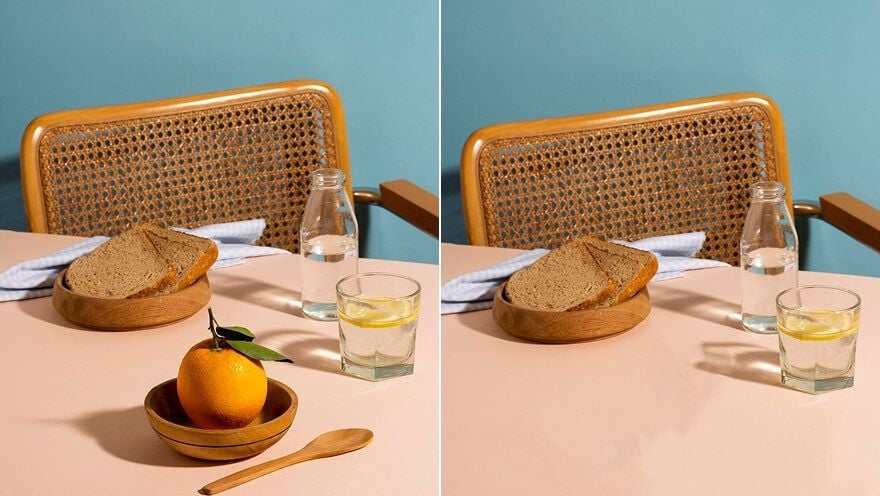
The AI Image Editor removes unwanted tourists or watermarks. It fills gaps seamlessly with context-aware pixels.
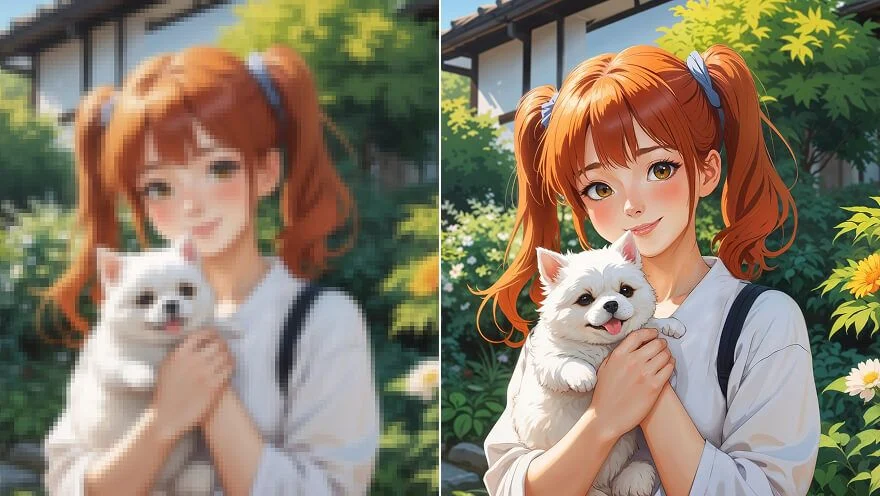
Sharpen details with AI. This AI photo tool turns low-res shots into high-definition visuals instantly.
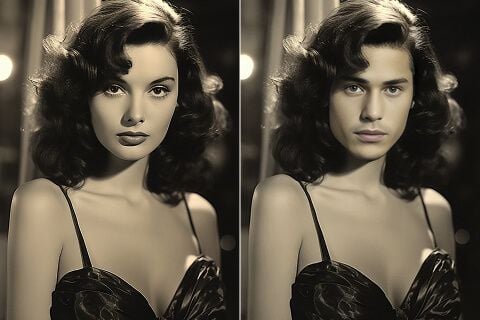
Swap faces using our AI Image Editor. Keep lighting and angles natural for realistic results.

Transform photos into cartoons or oil paintings. Use the AI photo editor to create unique avatars.
Three simple steps to transform your images using AI
Upload any photo to our Free AI Image Editor. Drag and drop to start editing instantly.
Type a text prompt into the AI Photo Editor (e.g., "change background to beach") to guide the generative AI.
Click Generate. The AI editor processes instantly. Download your high-quality result from our online tool in seconds.
See why thousands of users choose our AI Image Editor for their daily workflow
"Finally! A reliable Free AI Image Editor that changes product backgrounds instantly. It is faster than Photoshop and results are clean for my Shopify store."
"The mind-blowing 'edit with text' feature is incredibly efficient. I typed 'add sunglasses' and the AI photo editor blended it perfectly. No watermark download is essential."
"Hands down the best free online photo editor I've used. The generative fill works like desktop software but runs in-browser. AI Image Editor saved me hours."
When using AI Inpainting to add objects, describe the lighting too! Instead of just "sunglasses", try "sunglasses with sunset reflection". This helps the AI Image Editor blend edits perfectly with the original photo's lighting.
Professional photo editing made simple with advanced AI technology. Better than basic filters, easier than Photoshop.
Our AI Image Editor lets you describe what you want to change, and the AI does the rest. No complex tools required, just type and edit on the digital canvas.
This free online image editor rivals professional software. Get pixel-perfect results with our AI photo tool without the steep learning curve.
Our AI Image Editor uses advanced generative fill technology to add, remove, or expand elements naturally in high resolution.
This free online editor allows you to edit photos directly in your browser. No huge software downloads, no credit card required to start rendering.
Aggiii AI Editor ensures your images are encrypted and auto-deleted. We never share your data or use it for training algorithms.
Own what you create. Use images exported from our AI Image Editor for business, marketing, and sales without restrictions.
Common questions about editing photos with our free AI photo editor.
Aggiii AI Image Editor is a top-rated tool to edit photos with text prompts. It requires no manual skills—describe changes and our AI handles the rest.
1. Upload image to AI Image Editor. 2. Enter a text prompt to perform AI Inpainting (e.g., "add sunglasses"). 3. Click Generate. Our AI photo tool modifies the image while preserving quality.
Yes, you can edit and download images without watermarks using our AI Image Editor, making it perfect for professional use, social media, and e-commerce.
Yes, our AI Image Editor offers a powerful free alternative to Photoshop's Generative Fill, allowing you to perform AI Outpainting to expand images or remove elements directly in your browser.
Absolutely. Images from our AI Image Editor come with commercial rights. Use content from our AI photo editor for marketing and advertising freely.
Upload to AI Image Editor and type "remove [object]". Our tool uses content-aware AI to erase objects and fill the gap with a natural background instantly.
Security is our priority. When you use our AI Image Editor, your uploaded images are processed on encrypted servers and automatically deleted after 30 days.
High Quality | Nano Banana Pro | Free Credits
Start AI Image Editor FreeDiscover our full suite of AI tools for creative projects.
Click to upload or drag images here
JPG, PNG, WebP - Max 10MB
Upload an image and start editing